Let's get started making YOU some MONEY!
Here are the details for the 4 easy steps to get started making money:
1. Sign up for a FREE account at SMASHWORDS.
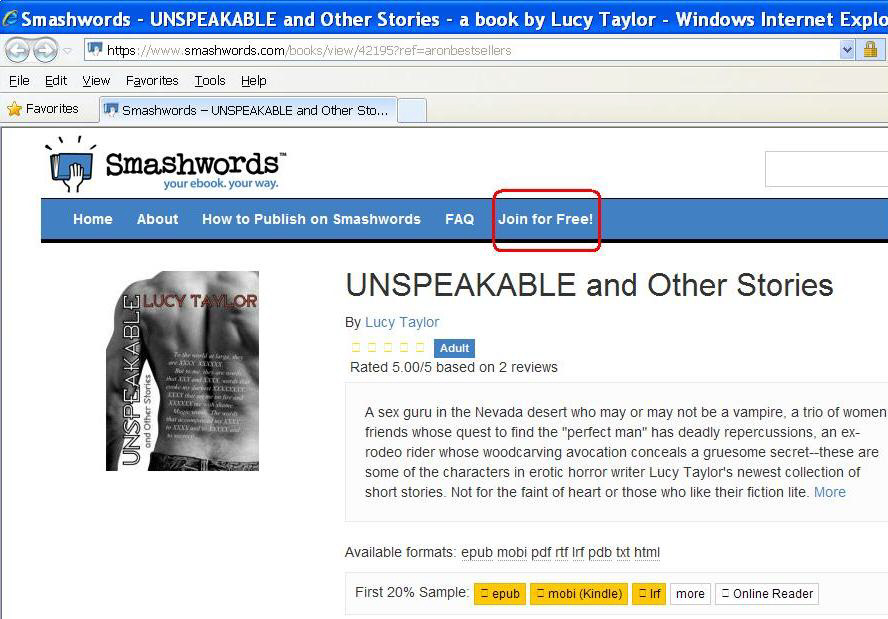
After you click the link above, click on Join for Free in the new page that opens:
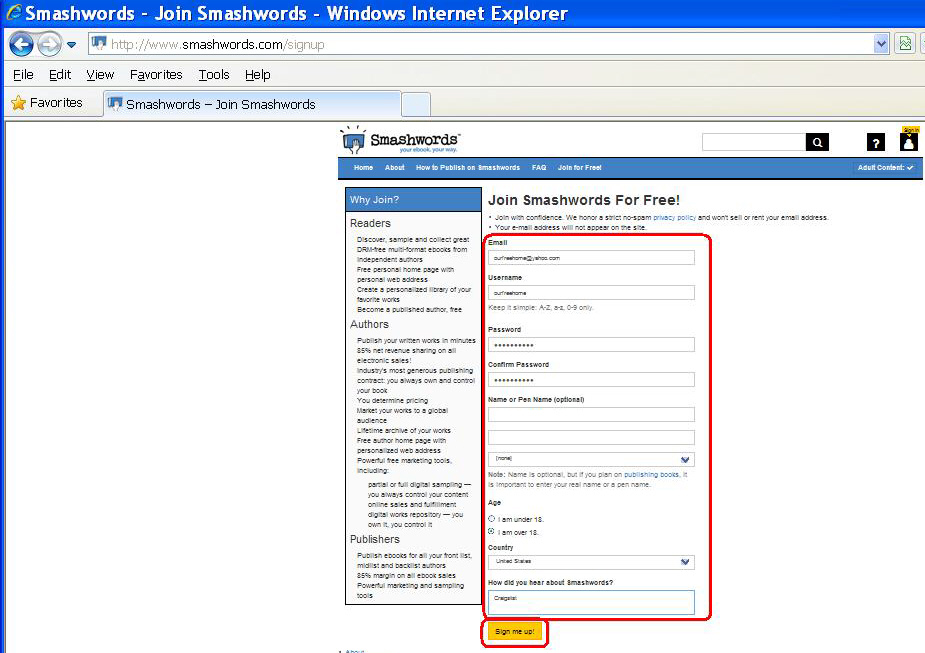
Fill out all fields in this screen with your information and click Sign me Up! Be sure to save your login information for later.
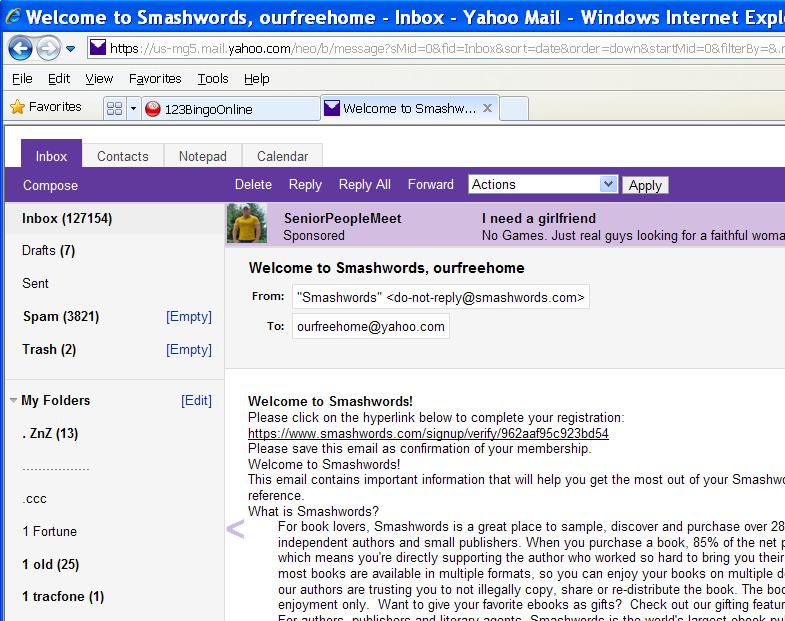
Open your email that you used to sign up with and click on the link in the new message from SMASHWORDS.
2. Sign up as an affiliate of SMASHWORDS.
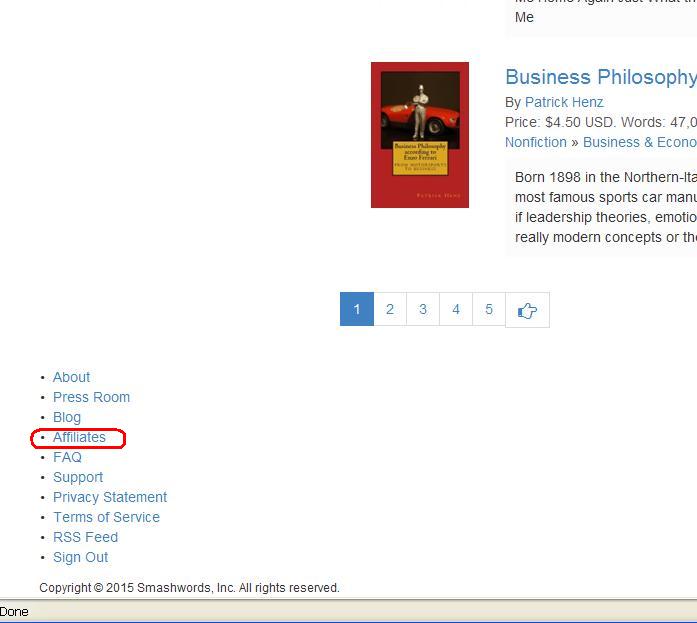
Scroll to the bottom of the new page that opens and click on Affiliates in the list at the bottom of the page.
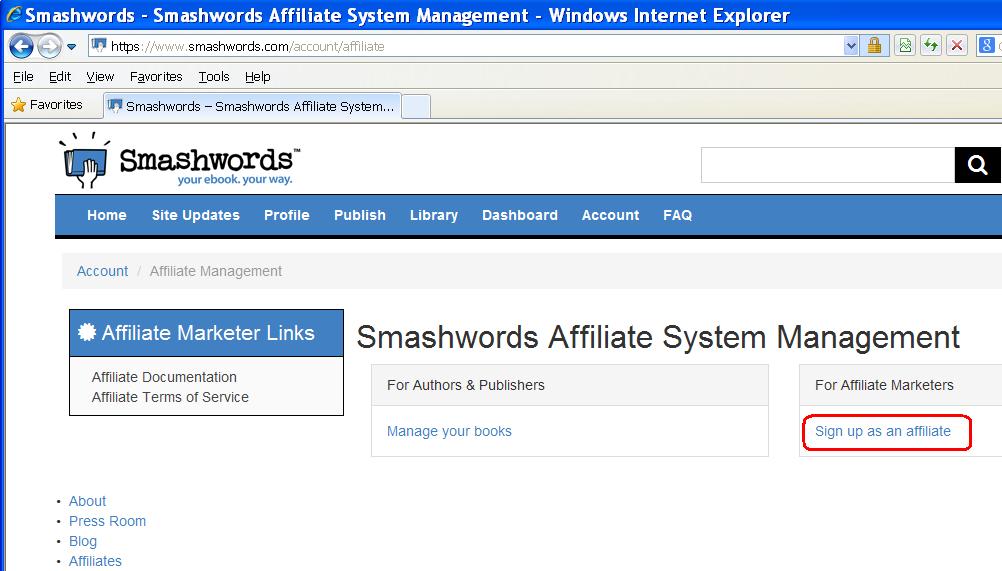
Click on Sign up as an Affiliate on the new page.
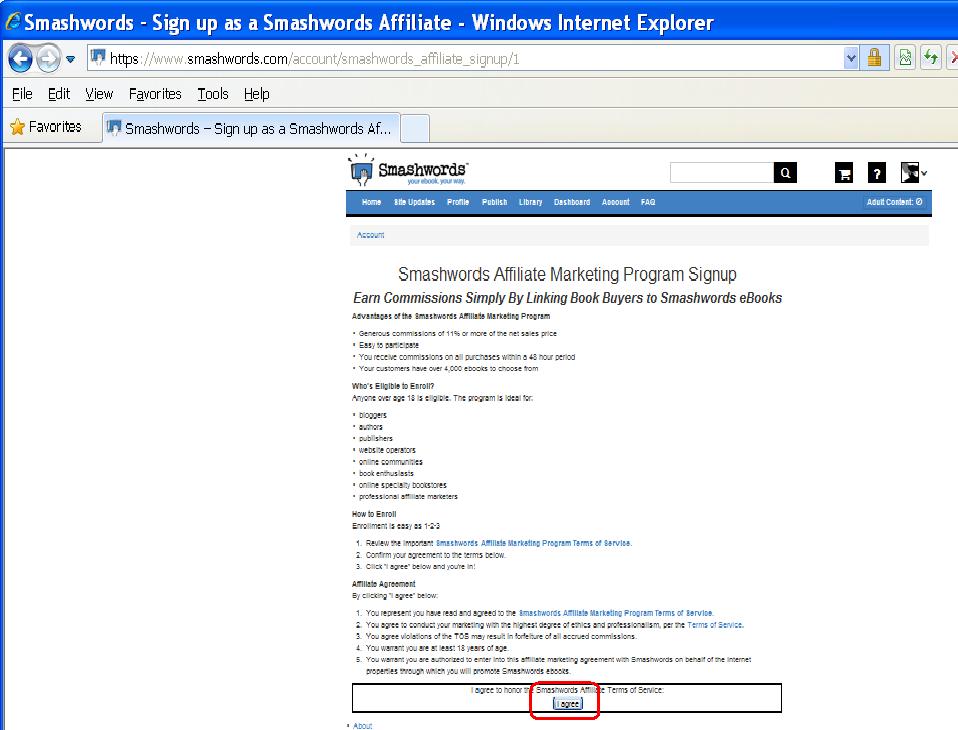
You may read all of the information on the new page or just click the I agree button at the bottom.
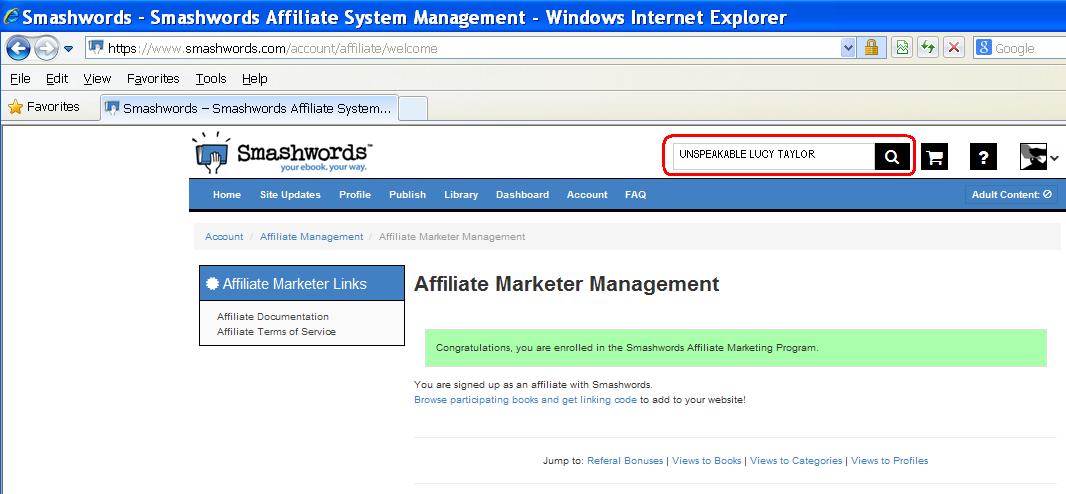
In the search bar at the top of the new page type - unspeakable by lucy taylor - and click the magnifying glass icon.
3. Get your personal affiliate link for these two books in front of prospective buyers.
|
|
|

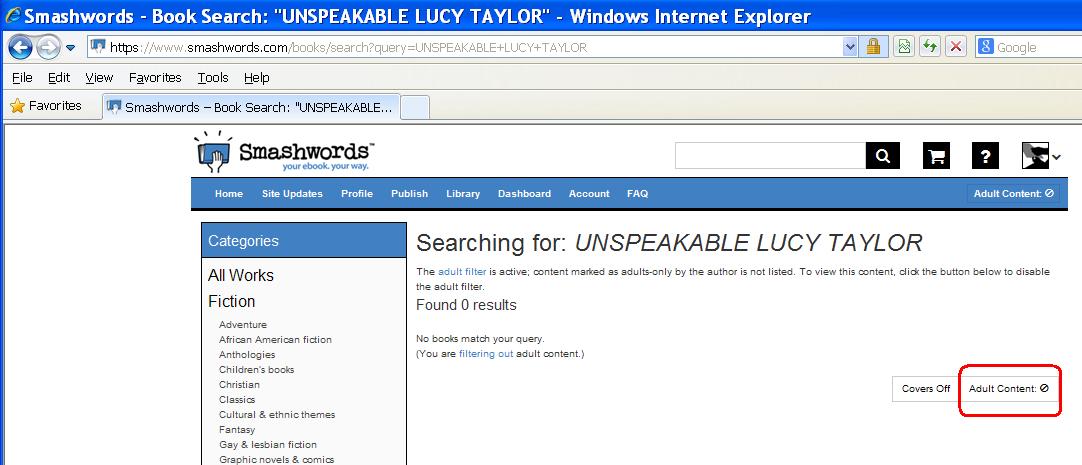
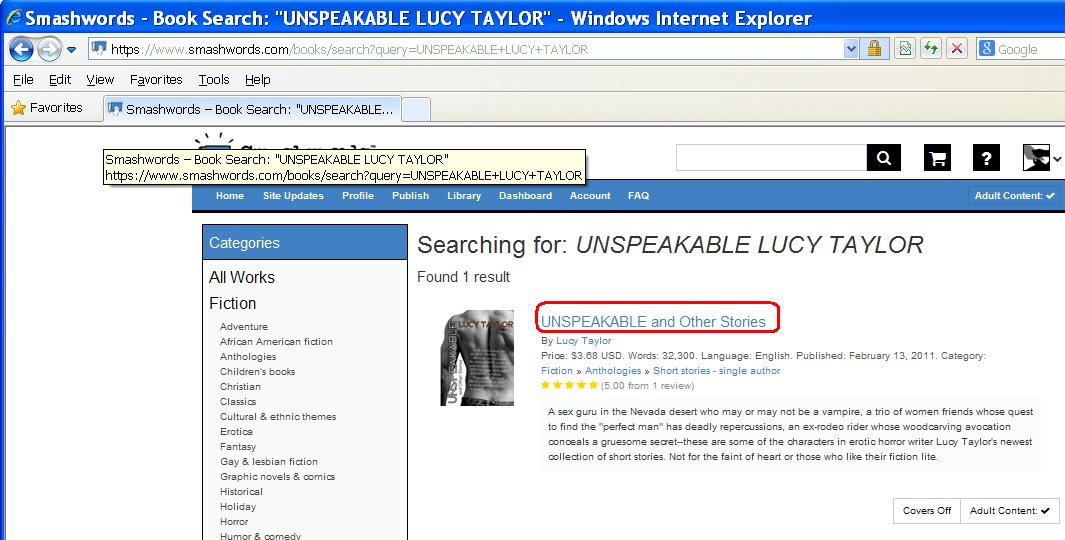
Click on the book title - Unspeakable and Other Stories - in the new page.
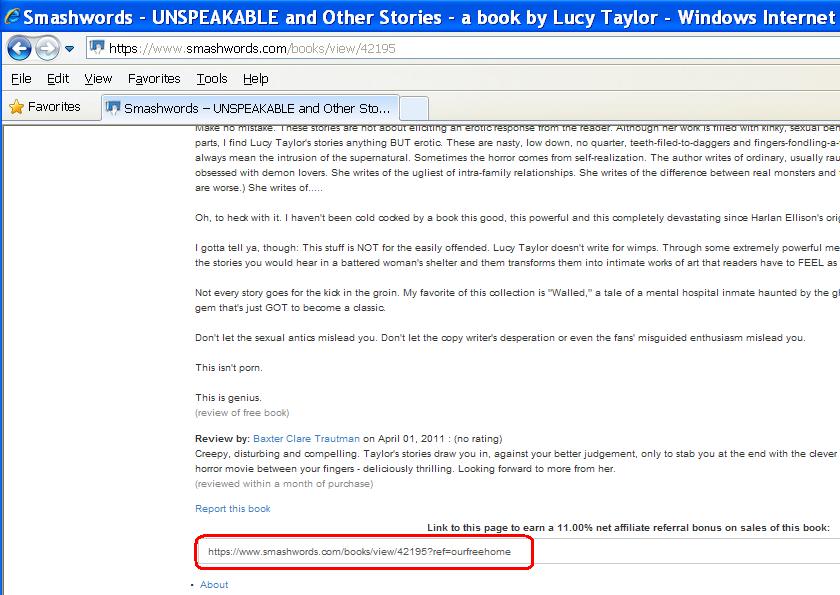
Scroll to the bottom of the new page. Save your new referral link somewhere that it will be easy for you to use repeatedly. This is the link you will share with others and when they buy the book, YOU make MONEY!
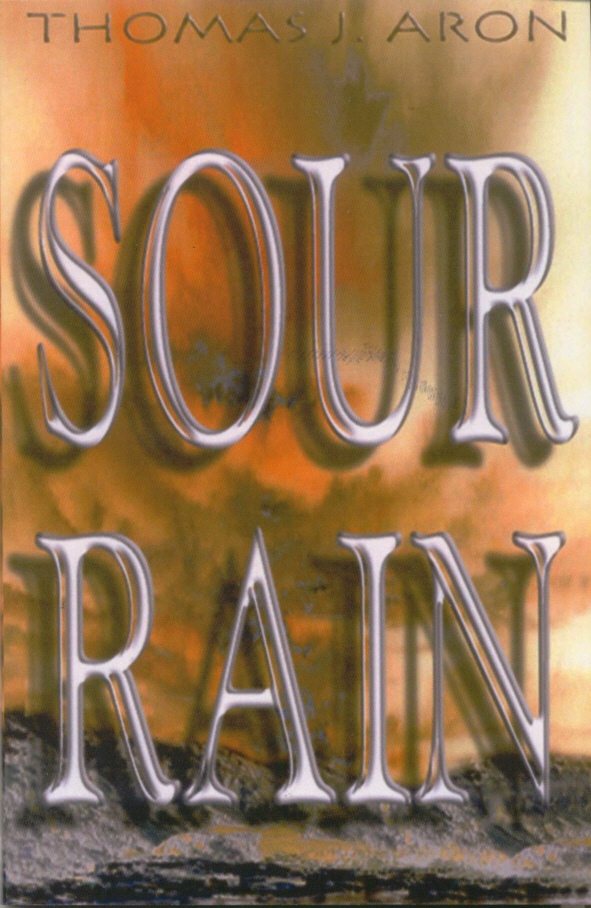
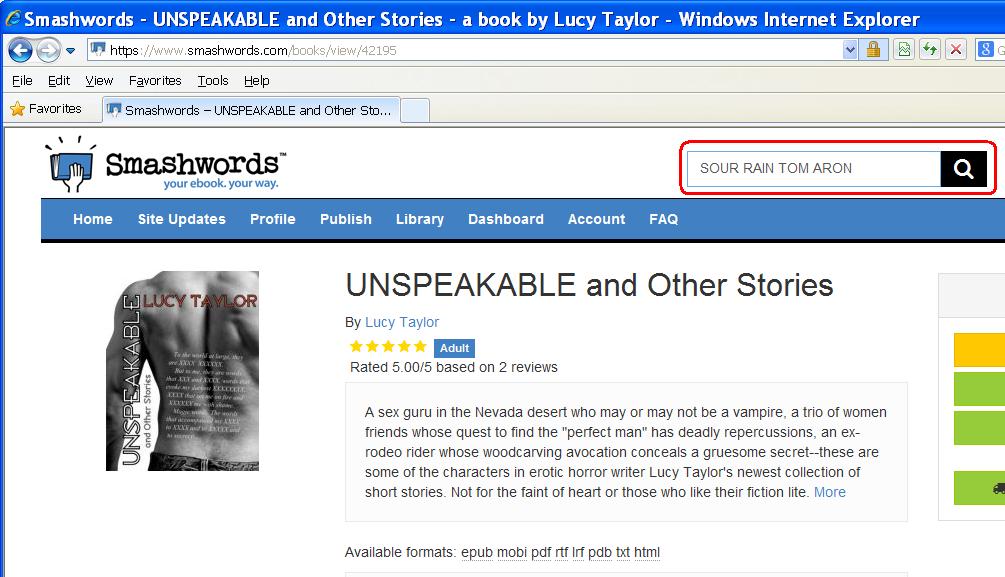
Scroll to the top of this same page and in the search bar type - sour rain by thomas j. aron - Click the magnifying glass icon.
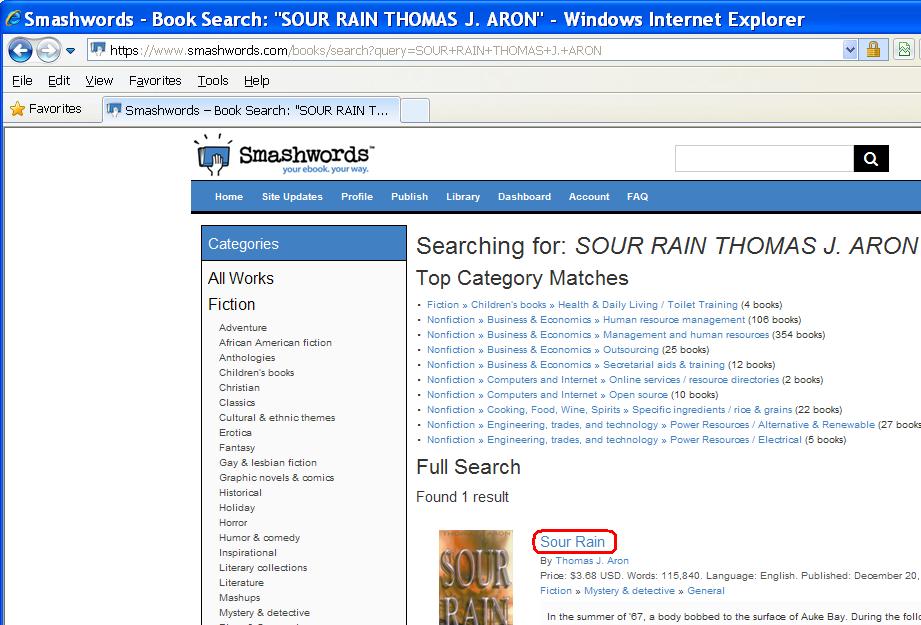
Click the title - SOUR RAIN - on the new page that opens.
Scroll to the bottom of the new page. Save your new referral link somewhere that it will be easy for you to use repeatedly. This is the link you will share with others and when they buy the book, YOU make MONEY!
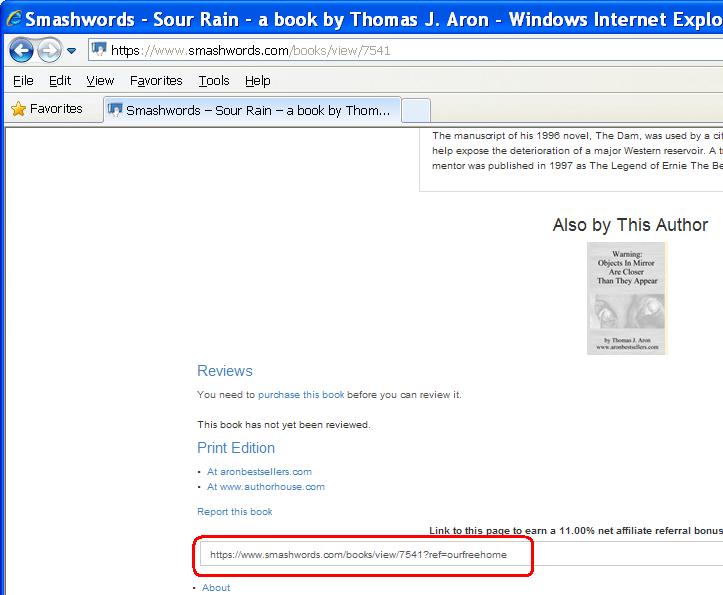
Be sure to note to yourself which link is for which book. You can send these links to your friends and family by email or text, post the link on your Facebook page, Tweet it and any other creative ways you can think of to have people click YOUR PERSONAL LINK to take them to the SMASHWORDS pages for these books. Ask your friends and family to send your link to their friends and family as well. When they buy the books, YOU make MONEY. So, get these links out everywhere you can!
4. Collect YOUR money!
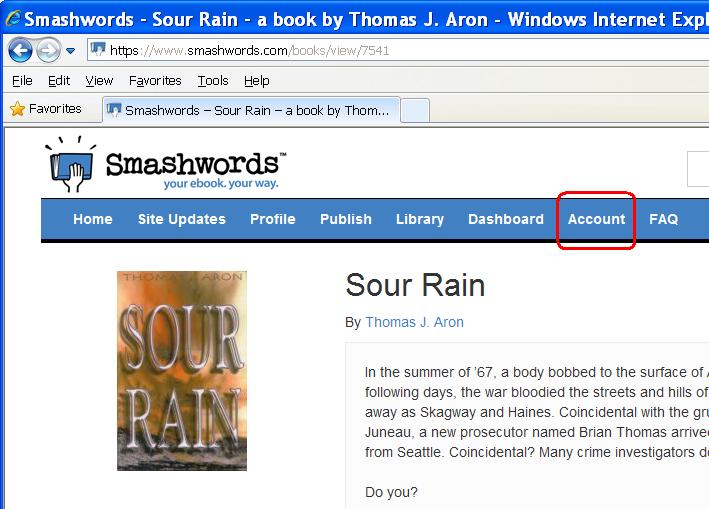
Scroll to the top of the same page and click on Account.
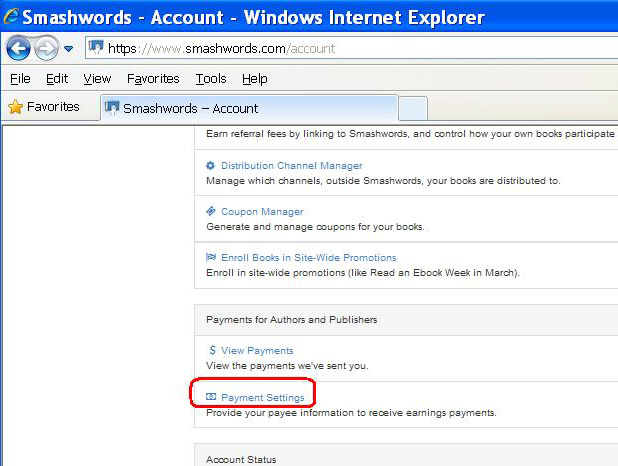
Scroll to the bottom of the new page and click on Payment Settings.
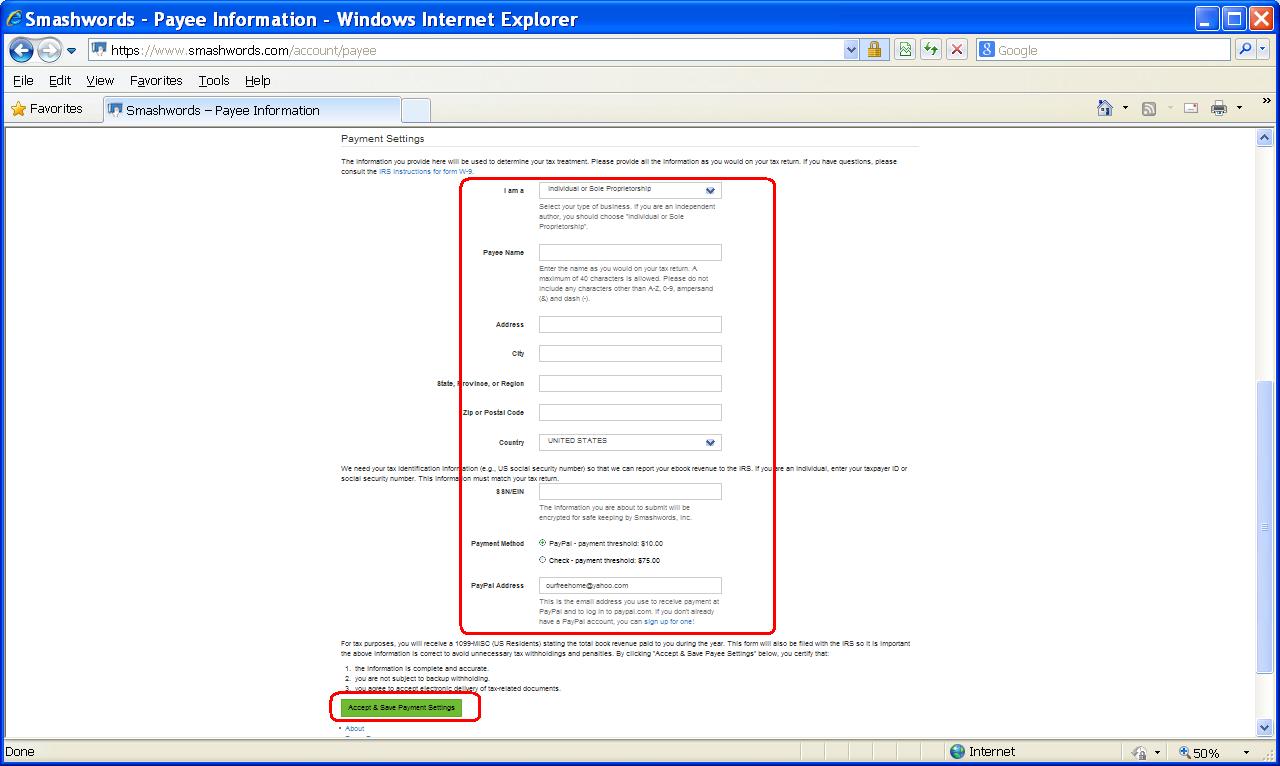
Fill out the fields on the new page with your accurate information and click Accept & Save Payment Settings. This is how you will get PAID. If you do not already have a PayPal account and want to get one please click HERE.
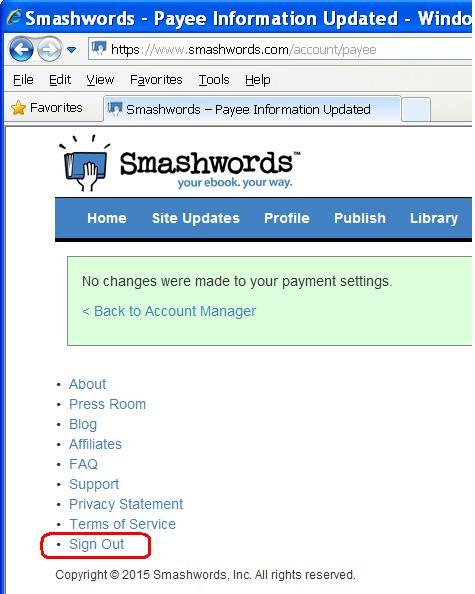
Scroll to the very bottom of the new page and click Sign Out.
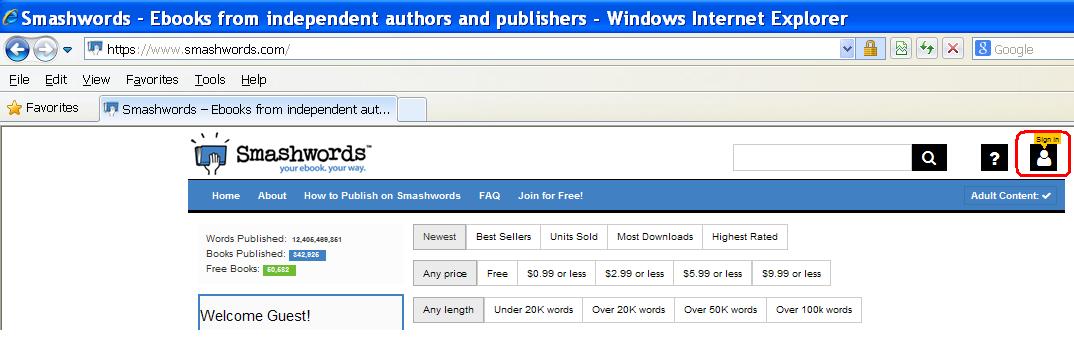
After you have shared your links and people have begun buying the books, you can sign back in to SMASHWORDS to see how you commissions are growing. Click HERE to go to SMASHWORDS then click the Sign In Icon.
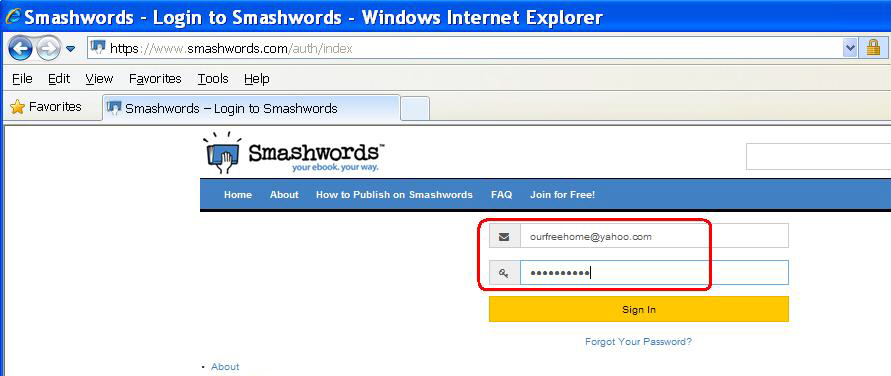
Enter your login information on the new page and click Sign In.
Scroll to the very bottom of the new page and click on Affiliates.
Click on Manage Your Affiliate Account on the new page.
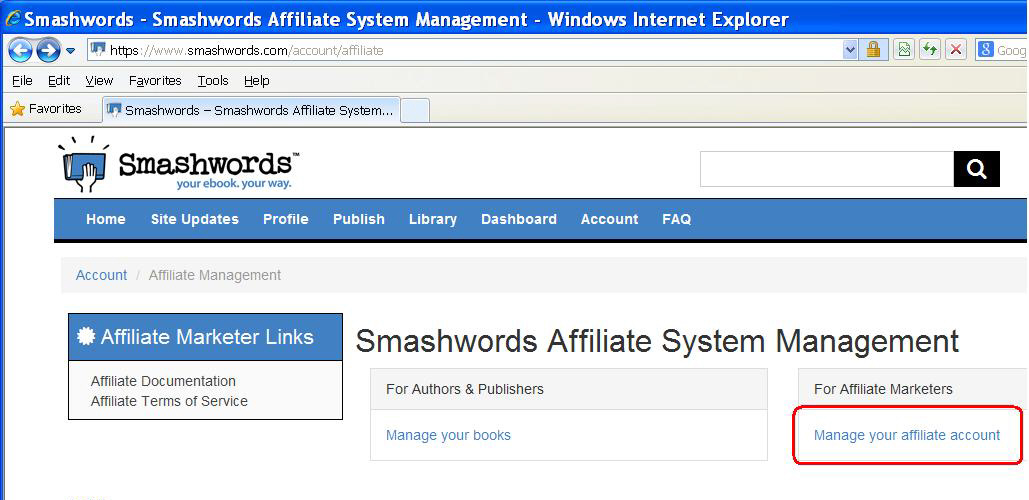
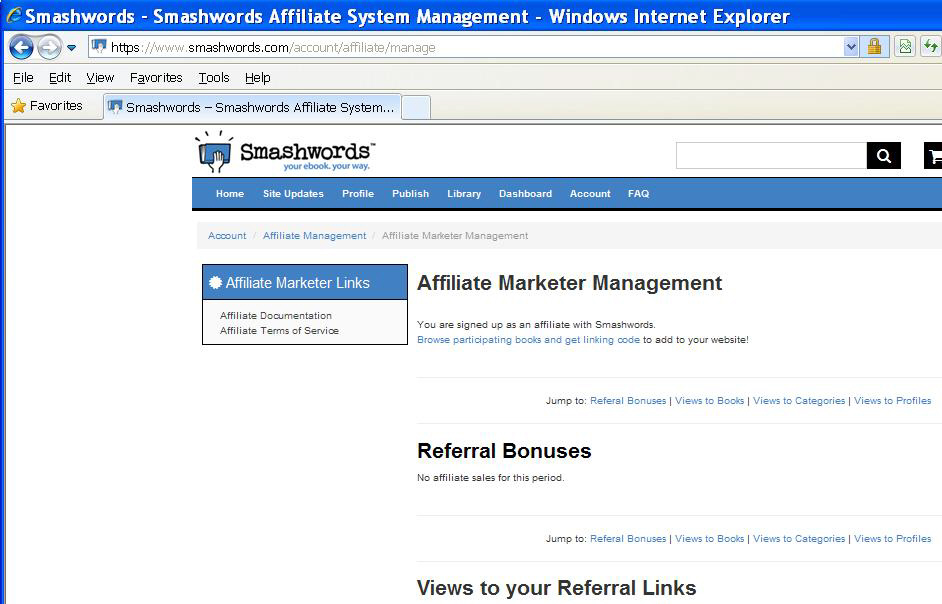
If your link has not made any sales yet, the next page will look something like this:
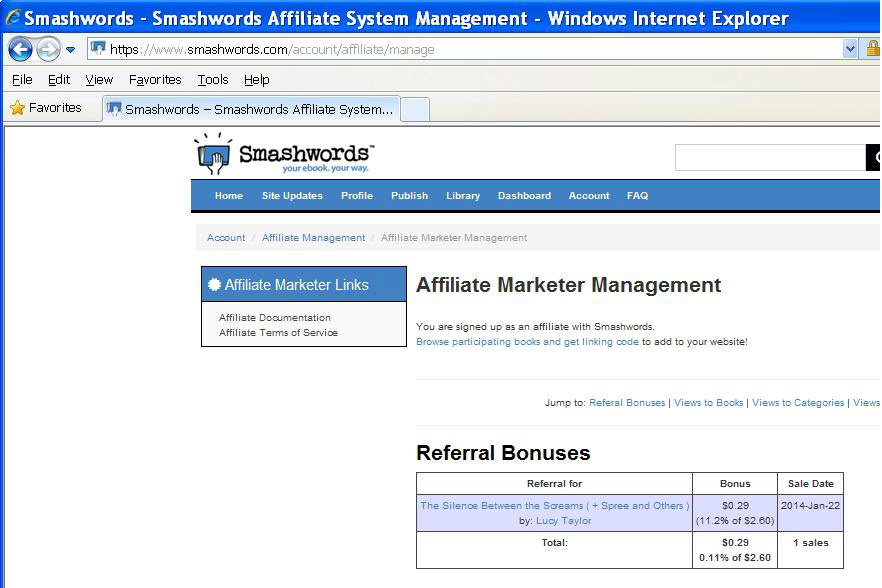
When your links have generated sales, the next page will look something like this:
You can also look at a sales report by clicking on Dashboard at the top of any page.
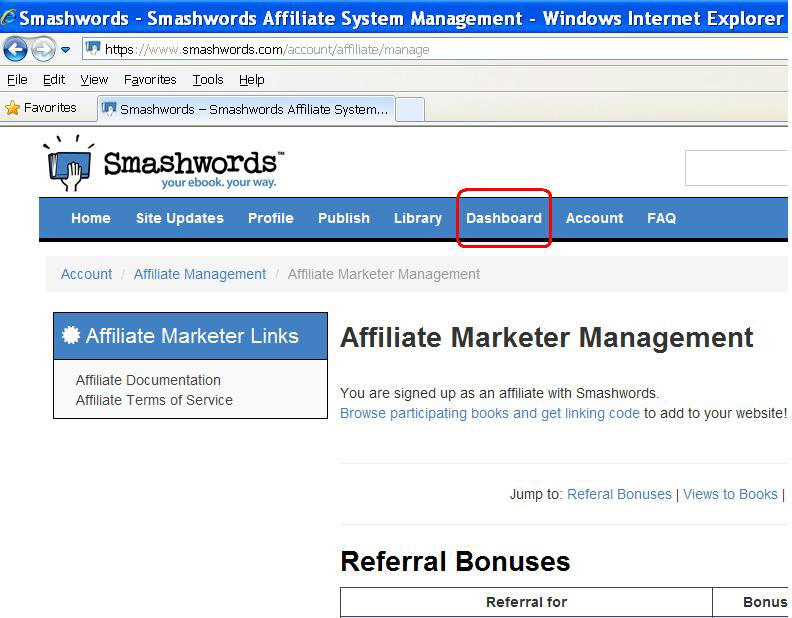
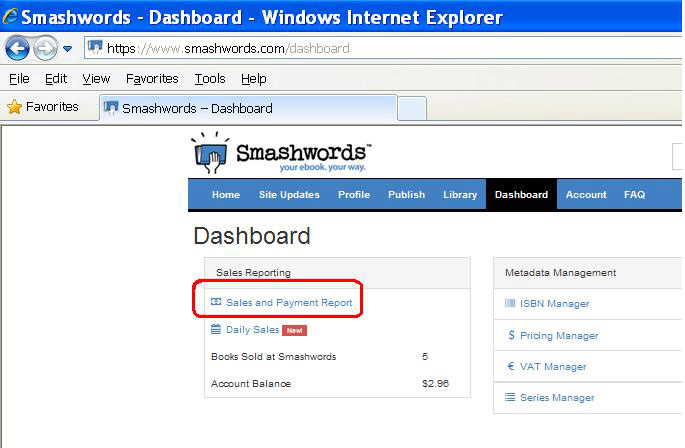
Click on Sales and Payment Report on the new page.
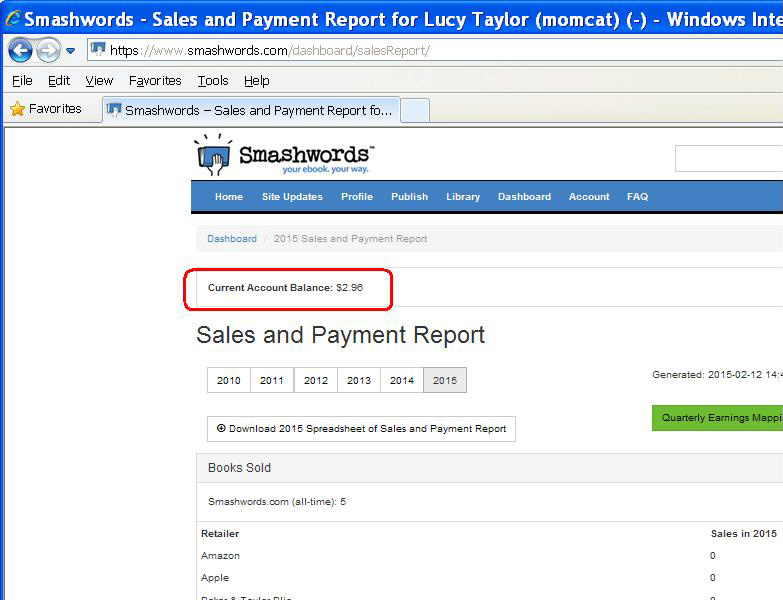
You will be able to see your current balance - this is the amount of YOUR commissions - the amount YOU WILL BE PAID!!!
So, get those links out and let's make some MONEY!!!
Thank you very much for being in business with us! We hope you enjoy it as much as we do!
If you already have your own website or want additional internet tools, please check out some of our wonderful tools below:




|
RARE Services Presents:
Free Story !!!
|